InfinitePlots
Description
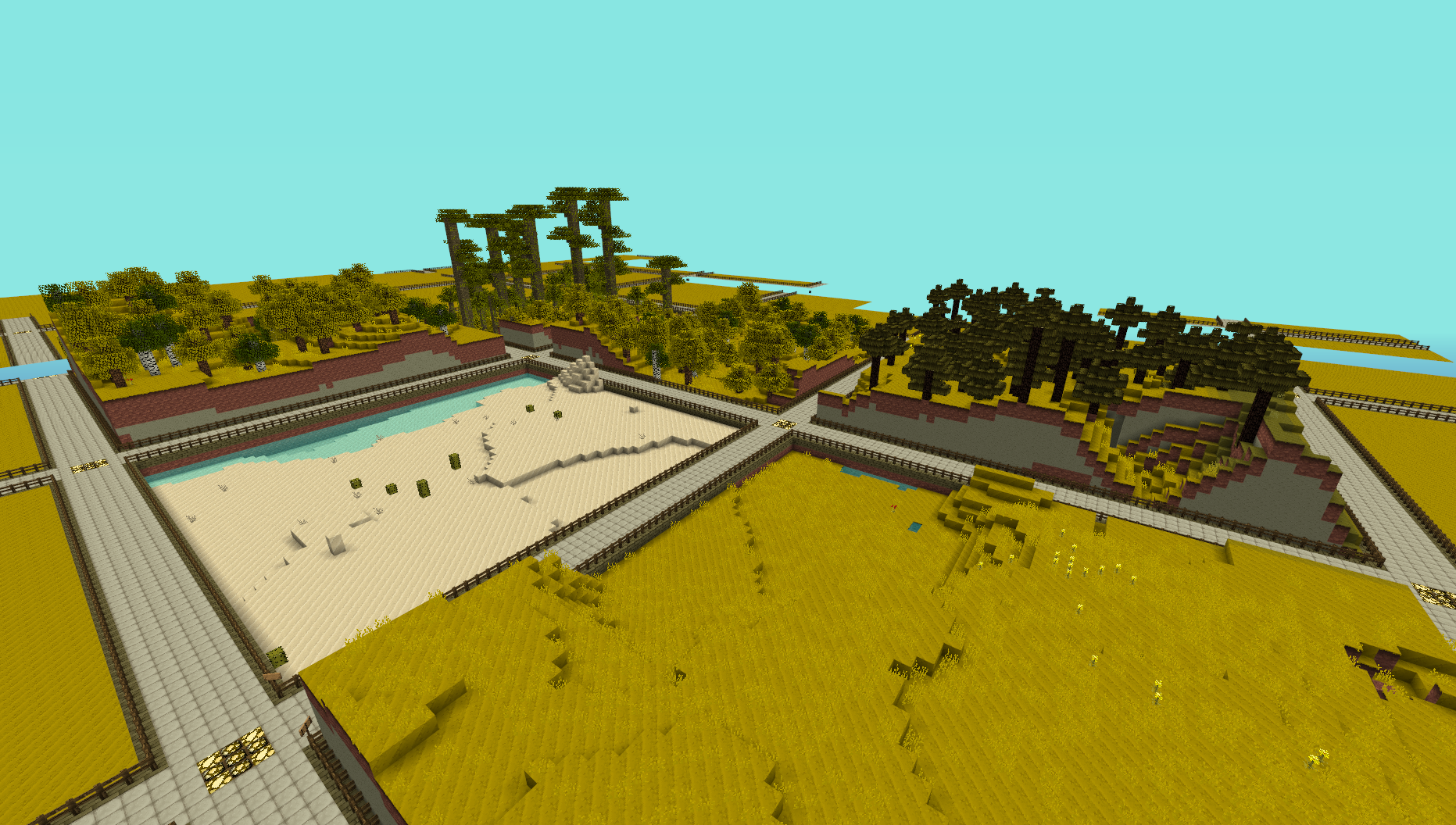
This plugin provides a simple generator for server admins to use to create an infinite world of building plots (of a configurable size), the idea is for it to be used to create a world to be used for building competitions. I made this to use on my server and am releasing it just in case anyone else is looking for the same thing.
NOTE: This does not create any worlds, you will need to use a plugin like MultiVerse or edit your world.yml file to create one using this plugins name as the generator. An example of the command used to create a world using MultiVerse would be
/mv create competition_world normal -g InfinitePlots
Bug Reports / Suggestions
If you find a bug, encounter a problem or have a suggestion, please fill out a ticket via the Tickets link above. I do not have the time to read through the comments section, any comment that fits the previous three categories will be ignored.
Plot Size
The plot-size option in the config file controls the size of the plots that are generated, it will only take effect in new areas so you may need to delete the worlds folder and have it regenerate.
You can also set the size of the plots for a given world using the generator ID parameter, for a size of 64 (the default) you can do
/mv create competition_world normal -g InfinitePlots:64
for 128 you would do
/mv create competition_world normal -g InfinitePlots:128
If the ID parameter is not specified the value from the config file will be used.
For details of the other config options see the config page.
Contributing
Contributions to the project are very much welcome, if you have a feature that you want implemented and know a nice way to do it then consider forking the repo and submitting a pull request. These will be accepted as long as the following simple guidelines are followed.
- Do not edit the structure of the pom.xml file, feel free to add a dependency if you need it but the formatting and structure should not be changed.
- If you are exposing a new API method, add a JavaDoc comment to it, but don't over-comment internal code.
- Follow the existing code style, don't antagonise over every space though !
All dependencies that are used are now available from a public Maven repo, so you don't have to worry about building several other projects just to add a simple change any more.
Source Code
Dev Builds
Changes Since Last Release
Information on the development version can be found on the new version of this page http://dev.bukkit.org/server-mods/infiniteplots/pages/main-dev/
Download
Development builds of this project can be acquired at the provided continuous integration server. These builds have not been approved by the BukkitDev staff. Use them at your own risk.
http://bukkit.jacekk.co.uk:8000/job/InfinitePlots/
Download Stats
Comments

-

_ForgeUser6967060 Owner
-
_ForgeUser4473012 Contributor
-
View User Profile
-
Send Message
Posted Feb 13, 2017Where are the Permissions???
-
View User Profile
-
Send Message
Posted Jul 5, 2016@superblaze27
Btw heres the link that you list to the plugins commands up there: http://dev.bukkit.org/bukkit-plugins/infiniteplots/pages/main-dev/
-
View User Profile
-
Send Message
Posted Jul 5, 2016Hey I love this plugin but one problem one I want to remove the 3 blocks for the entrance because I dont want one of those. One other thing is you list /plot claim and other commands. They dont work for me :(. I have Vault so ya please help :)
-
View User Profile
-
Send Message
Posted Jul 12, 2015Since I'm the only one who actually read here, the commands and perms are here: http://dev.bukkit.org/server-mods/infiniteplots/pages/main-dev/
-
View User Profile
-
Send Message
Posted Jul 9, 2015Were are the Permission Nodes to use the /plot commands?
-
View User Profile
-
Send Message
Posted Feb 14, 2015@cdcp998
Omg, first of all, don't just be stupid and spam your console log into comments; use something like pastebin (Its free). Also, don't use this plugin in the first place, us PlotMe! It is the most famous plot plugin in minecraft and is used on giant official (rich with lots of players) servers, such as WoodyCraft.net
-
View User Profile
-
Send Message
Posted Oct 25, 2014What about the permissions?
-
View User Profile
-
Send Message
Posted Sep 7, 2014@adamwbb
Works just fine for me on 1.7.10/1.8.
-
View User Profile
-
Send Message
Posted Aug 19, 2014i think this plugin is abandoned
it doesnt even work on 1.7.10 and it hasnt been updated over a year
-
View User Profile
-
Send Message
Posted May 11, 2014@mal67
really anyways plotme is harder 4 me to use cause it allways gives an error saying that there's a conflicting plugin when plotme is the only plugin that's installed
-
View User Profile
-
Send Message
Posted May 11, 2014LOL this thing works on my 1.2.5 tekkit server when its for 1.4.2! LOLLOLOLOLOLOLO
-
View User Profile
-
Send Message
Posted Apr 27, 2014Update for 1.7.9?
-
View User Profile
-
Send Message
Posted Mar 15, 2014What are the commands??
-
View User Profile
-
Send Message
Posted Feb 27, 2014Thanks this was really help full for my server i hope this plugin keeps going into future minecraft updates thanks :)
-
View User Profile
-
Send Message
Posted Jan 24, 2014@cdcp998
use plotme
-
View User Profile
-
Send Message
Posted Jan 20, 2014How to solve this problem?
-
View User Profile
-
Send Message
Posted Jan 15, 2014When I go and create a plot world, it says that its creating then it says FAILED
How do I fix it? Oh btw, its only plot worlds it does it to
-
View User Profile
-
Send Message
Posted Jan 15, 2014I am trying to make it so that it does not show signs on the top of claimed plots. I have set show-signs to false, and I have even deleted and regenerated my world multiple times. It seems as if there is no way to diable the signs, because as soon as I claim a plot it adds one. I would really like to beable to disable them completely or I would like for it to work with the NAMER API so it will show nicknames instead.
by the way I am using the latest DEV version.
-
View User Profile
-
Send Message
Posted Jan 14, 2014Permissions?
-
View User Profile
-
Send Message
Posted Jan 10, 2014im getting this error any time i try to create a world. this happens with the latest on dev bukkit, as well as the latest stable DEV build
confused and disappointed as it *was* working on my test server a week or two ago. but when i go to change the worlds materials to something different (like quartz block for the road 155 instead of 43) it just spams console with errors and MV tells me FAILED when creating the world.
whether i use the :size or not like /mv create world Normal -g InfinitePlots:64
also, is there already an aliased command for /plot ? those who use towny cant access the command.