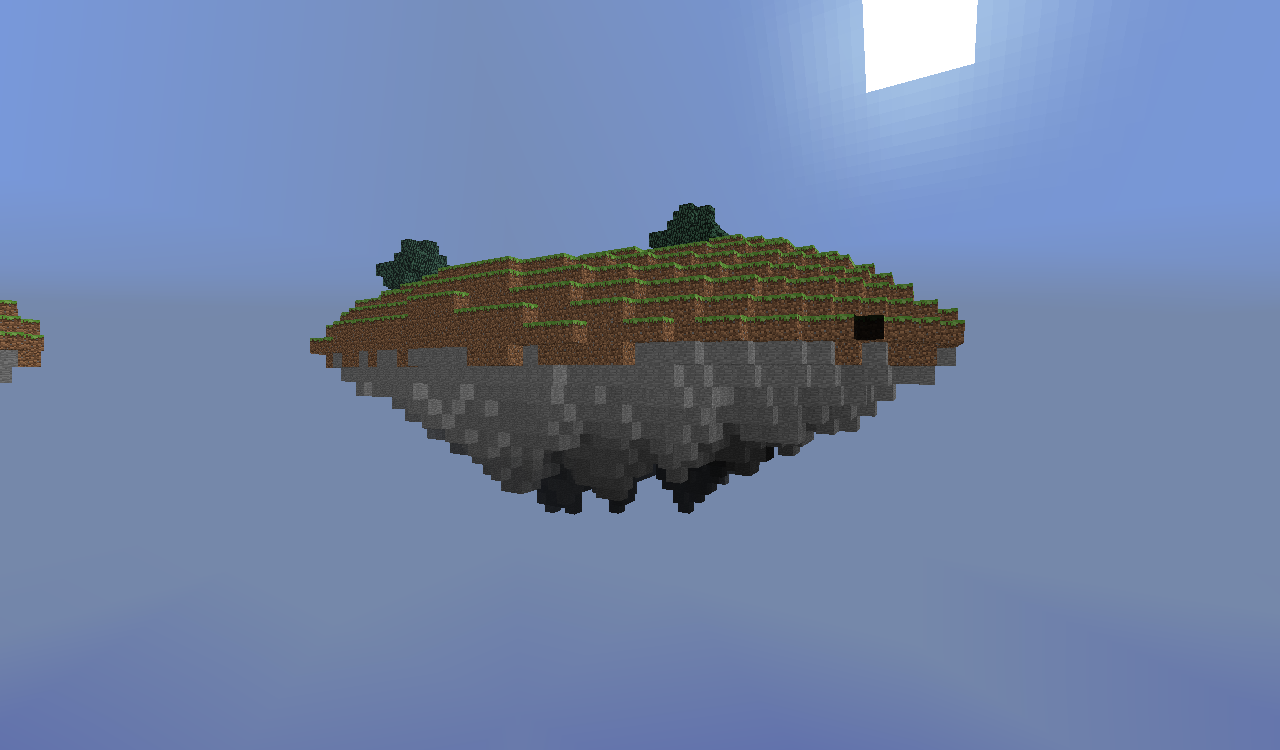
FloatingIsles
Imagine floating gracefully through the air, gliding between epic islands suspended in the sky, as if they had been torn from the earth. Flying up to, gliding between, and drifting down from these mystical isles is a breeze with this plugin, currently under development.
Features
- Two jar files for the different sections of the plugin
- Generation of floating islands world with some customization
- - Supports Bukkit.yml or can auto-generate with ease!
- When you fall out of the sky world, you get teleported back to the top of the normal world
- Travel features for convenience:
- - Cannon to travel to the sky world from the normal world
- - Glider to fly between islands
- - Parachute to land softly on the ground from the islands
- Worlds in which these travel features are usable is configurable
- Constantly sunny in sky world
- Configuration for various settings
Features to come in the future:
- Improved algorithms for better-looking islands with better terrain features
- Caves, lakes, and other awesome terrain features
- Mineral deposits for resources
- Might make it a biome for the wip plugin BetterGen
Near future updates:
- Completely change generation method to be much more epic
- Add mineral deposits
- Work on getting lakes and caves in
Traveling to, from, and within the sky lands
The cannon:
To make it, place a tnt on the ground, then stairs on either side facing towards it, and then a block of iron on top of that. Stand on top and ignite the tnt by any means and it will launch you to the sky world. When you get there, you will be in the nearest safe place in the sky lands, so long as nobody's made a hole in an island there. It can also launch just about anything else to there. Once there, you can get back by jumping off, but then you may splat on the ground, unless you're lucky or have a parachute.
Alternatives to the cannon:
There are two alternate methods for getting to the sky world: Command and creative flight. The command is /skytravel, but there are alot of alternatives, such as /up, /sky, and just about anything you could think of! You can also fly in creative mode to above the build height and you will be transported there.
Parachutes and gliders:
Parachutes and gliders are used in similar ways. They both have a primary item which you hold, and surround it with 2 of a secondary item, and then right-click with the primary item to use it. They also both can only be used in the sky world.
Parachute: This is for getting down safely from the islands. The primary item is 8 leather, and the secondary is 4 string(2 on either side). When you use it, it immediately slows you down and you float gracefully to the ground, taking no fall damage.
Arrange the items in your inventory as follows: [2xS] [8xL] [2xS]
Glider: This is for flying between the islands. The primary ingredient is 2 sticks, and the secondary is 6 feathers(3 on either side). To use it, jump and right-click. You will move up slightly, and then glide forwards at a speed slightly faster than running. It lasts for 6 seconds before you fall, for a maximum distance of about 30-40 blocks. Movement for gliding is a bit different than walking, as you constantly move forward and can't use A/D to move sideways.
Arrange the items in your inventory as follows: [3xS] [2xL] [3xS]
Generation Setup
Default generation:
If you just want to use regular generation like before this update, simply place the FloatingIslesGen.jar in the plugins folder and once the new config is generated you can edit the settings. If you want to change the name of the generated world, change gen-world to whatever you like. If you are using the mechanics you will also have to change the config of that for it to work properly.
Bukkit.yml generation:
Currently there is a bug where it isn't possible to prevent the world from generating, but you can use Bukkit.yml and change the mechanics if you like. In the next update, setting gen-world to "false" or "none" will prevent it from generating.
Mechanics setup
When setting up the mechanics config, make sure to have the world-names.sky and world-names.below values matching your worlds in order for it to work properly. The travel type allowances can have values of true, false, anyworld, a world name, or a list of worlds, such as [world1, world2].
The three cannon travel types were created to make it more customizable. Teleport allows travelling to the sky world with from said world(s), unless it's the sky world in which case it won't. If launch isn't allowed then the tnt will just explode as normal and no cannon-ness can occur. Cannon-entity determines whether or not non-human entities can be launched, and they will be teleported if it's allowed.
Config
Here is the default config file for the FloatingIslesMechanics.jar
world-names:
  #What to call the generated world
  sky: SkyLands
  #what world you can get to/from there
  below: world

travel-types:

  #What worlds/whether to allow the use of these in worlds
  #Can be true, false, anyworld, or a world name
  #true means only for the intended world, false means no use at all, and anyworld means any world use
  allowance:
    cannon-teleport: true
    cannon-launch: anyworld
    cannon-entity: anyworld
    parachute: true
    glider: true
    fall-travel: true
  materials:

    #changes the top block of the cannon construction
    cannon: iron block

    #sets the primary/secondary items for these features, the /# is amount
    parachute: [leather/8, string/2]
    glider: [stick/2, feather/3]

world-settings:
  #whether to have the sky lands be constantly sunny
  constant-sunny: true
Here is the default config file for the FloatingIslesGen.jar
gen-world: SkyLands

#world generation settings
world-gen:
  scale: 64.0
  threshold: 0.5
  seed: default
  more-trees: false
Permissions
The permissions let you control what can and can't be done, here's a list of them and their descriptions:
  fi.*:
    description: Base command for FloatingIsles.
  fi.travel.*:
    description: Base for all travel permissions.
  fi.travel.cannon:
    description: Allow use of cannon.
    default: true
  fi.travel.fly:
    description: Allow travel to the skylands via creative flight.
    default: true
  fi.travel.command:
    description: Allow travel to the skylands via command.
    default: op
  fi.travel.parachute:
    description: Allow use of parachutes.
    default: true
  fi.travel.glider:
    description: Allow use of gliders.
    default: true
Screen shots


Comments


-

_ForgeUser8890395 Owner
-
View User Profile
-
Send Message
Posted Aug 28, 2015@snap64
I can't test it right now, but should it work on any 1.8 version? I know 1.8.3 changed terrain generation a lot, so likely one before that?
EDIT: AMAZING! This works fully in Minecraft 1.8.8 using Spigot!
-
View User Profile
-
Send Message
Posted Feb 26, 2014@cs34026
It should work for 1.7.2. If there are any issues let me know and I'll see what I can do :)
@kat0309
look at the config for the mechanics, change 'constant-sunny' to false
@MrWarrows
The height is set to ground level because below this point the sky looks weird. Perhaps in a future version I'll make that and the height of the islands configurable.
@Bob1nz
I would like to develop this plugin more, but it has fallen on the back burner as I have other projects I'm working, things happening in my life, and I'm not as interested in world generation as I was when I started this. Hopefully I'll find time to work on it sometime in the near-ish future.
Thank you for your feedback :)
-
View User Profile
-
Send Message
Posted Jan 13, 2014Best Plugin EVER!!
-
View User Profile
-
Send Message
Posted Jan 10, 2014when do you plan updating for 1.7.2?
-
View User Profile
-
Send Message
Posted Oct 16, 2013I love the mechanics of this plugin the islands were a bit boring so i have used it with another sky islands generator and seems to work well. Its a pity this seems to be not being actively developed anymore.
Hopefully the source is released so another developer can pick it up and continue its awesomeness.
-
View User Profile
-
Send Message
Posted Oct 12, 2013@kat0309
set the gamerule doesnt work?
-
View User Profile
-
Send Message
Posted Oct 8, 2013I LOVE this plugin! Nice job on it! But, I have a question. Is it possible to make it have a regular day schedule and not just sunny all of the time? I think it would look really awesome at night, put a few torches here and there, etc. Just wondering if there was a way to do it in the permissions or something? Thanks!
-
View User Profile
-
Send Message
Posted Jul 19, 2013I know this is an older plugin, but it still works for 1.5.2!
Can anyone tell me how I can change settings for just the top world? Aside from the config file, as the only option there useful to me is the "Always sunny" boolean.
Thank you!
-
View User Profile
-
Send Message
Posted Jul 6, 2013Hi, could you please make an option to modify the Y where players fall from islands to normal world? Or at least share the source code in order to make it possible for us to customize it (github if possible)
-
View User Profile
-
Send Message
Posted Jun 21, 2013Source plz
-
View User Profile
-
Send Message
Posted May 28, 2013One of my favorite plugins! Works great for 1.5.2 and looks awsome! Please keep making this!
-
View User Profile
-
Send Message
Posted May 12, 2013Looks awesome but can you update it for 1.5.2? and maybe you can put mobs and npc villages?
-
View User Profile
-
Send Message
Posted Apr 10, 2013Very very nice plugin. I'm using it on my bukkitserver and it still works for 1.5.1 bukkit version :D U just put the same file up to date :DD What about spawning mobs and npc villages in thyworld ? mfg Obstkuchen3000
-
View User Profile
-
Send Message
Posted Mar 20, 2013@sigurd4
If it's not persistent, then it's probably just a mistake you made, not a bug. It sounds like you generated the world before my plugin was set to be its generator, and thus the spawn area generated with the default generator. How did you create the new world exactly?
-
View User Profile
-
Send Message
Posted Mar 16, 2013[BUG]: making a new world results in that a big part of the area around the spawnpoint is generated as default worlds.
(however, hven i tried again, it generated like it was supposed to!)
-
View User Profile
-
Send Message
Posted Mar 5, 2013Hey everybody, I've just recently got a new computer screen after mine broke , which is why I was inactive for so long. As soon as I find the time between working on other projects, I'll try to make an update for any compatibility issues.
-
View User Profile
-
Send Message
Posted Mar 2, 2013@incorruptable
Put the following permission into your file. "-fi.travel.fly"
-
View User Profile
-
Send Message
Posted Feb 18, 2013How do I disable the ability to reach the isles via fly command? It conflicts with the /fly command from essential which is more useful to the admins on my server than the /fly command that the FloatingIsles plugin gives. Is there a way to remove this command via permissions?
-
View User Profile
-
Send Message
Posted Feb 7, 2013Hello all! As a world generator, this works with CB 1.4.7-R1.0. However, only the /up command works. This was generated with multiverse.If you're going to update, please update your code for the cannon schematics to work in the new CraftBukkit versions.
-
View User Profile
-
Send Message
Posted Jan 27, 2013wow it saound's awesome.... UPDATE IT